Fancy Cafe AI Template
 Fancy Cafe AI
Build your own fancy café scene with a two-role story structure, adaptable visual-style prompts and a practical preview-to-video checklist.
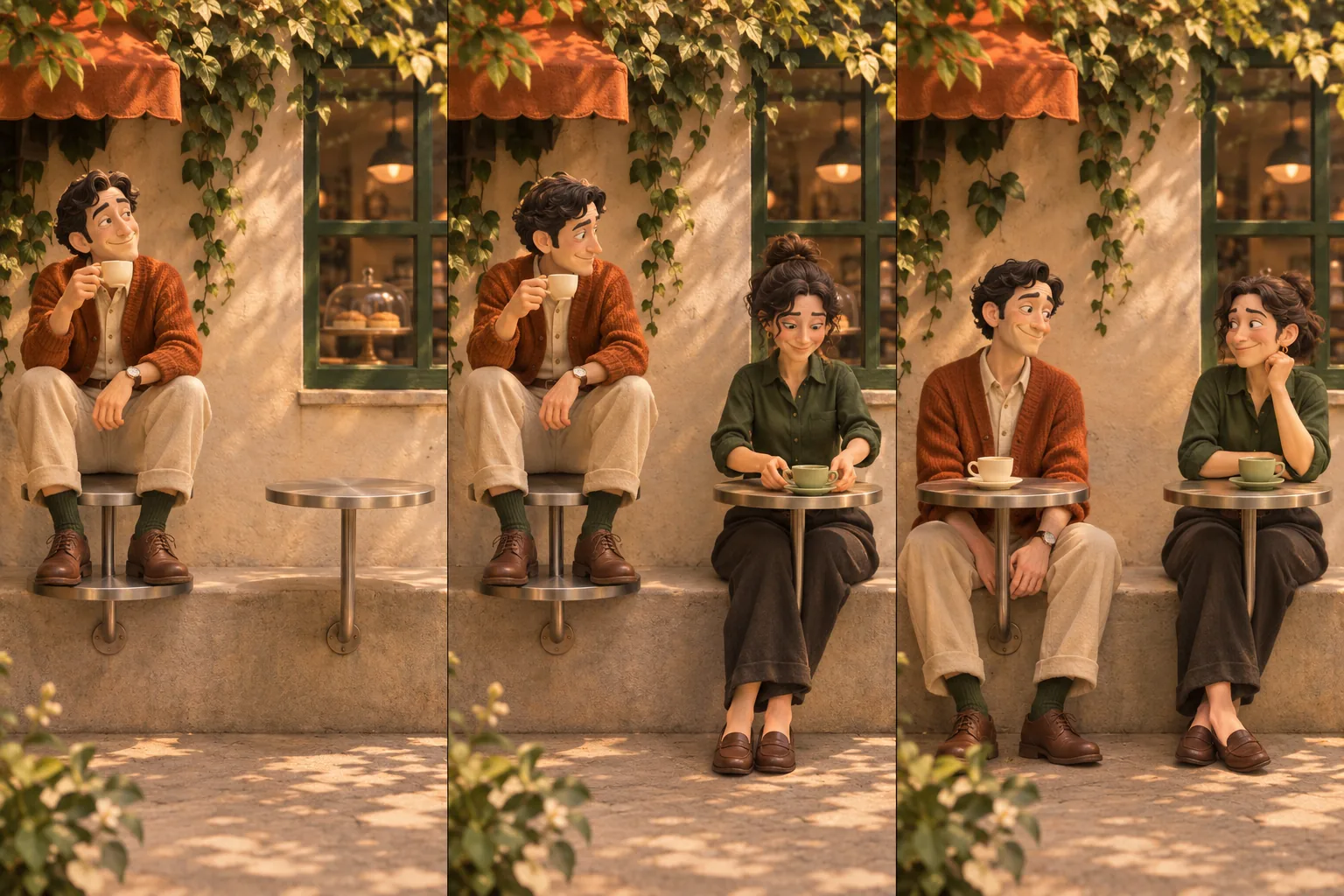
The Fancy Cafe AI template is a simple scene structure: a first-timer mistakes a tiny table for a seat, a regular reveals its real purpose, and the first-timer quietly corrects the mistake. Change the cast and visual mood while keeping that story easy to understand.
The cover is our original storyboard illustration. Below, you will find a practical way to adapt the scene in the Fancy Cafe AI generator, and understand its reference-video format.
The three beats of the template
Beat 1: Confidence before context
The first-timer arrives and settles onto the little round table. Give the viewer a clear view of the person, tabletop and bench. The character acts naturally; the audience has time to notice something is slightly wrong.
Beat 2: The regular provides the clue
The café regular sits on the bench beside a matching table and puts a cup on it. That everyday action supplies the missing information. The second character can stay from the reference clip or be replaced with a friend from a separate photo.
Beat 3: The quiet correction
The first-timer realizes the misunderstanding and moves to the bench. A glance, pause or small smile is enough to finish the scene. You do not need another twist after the audience understands the table.
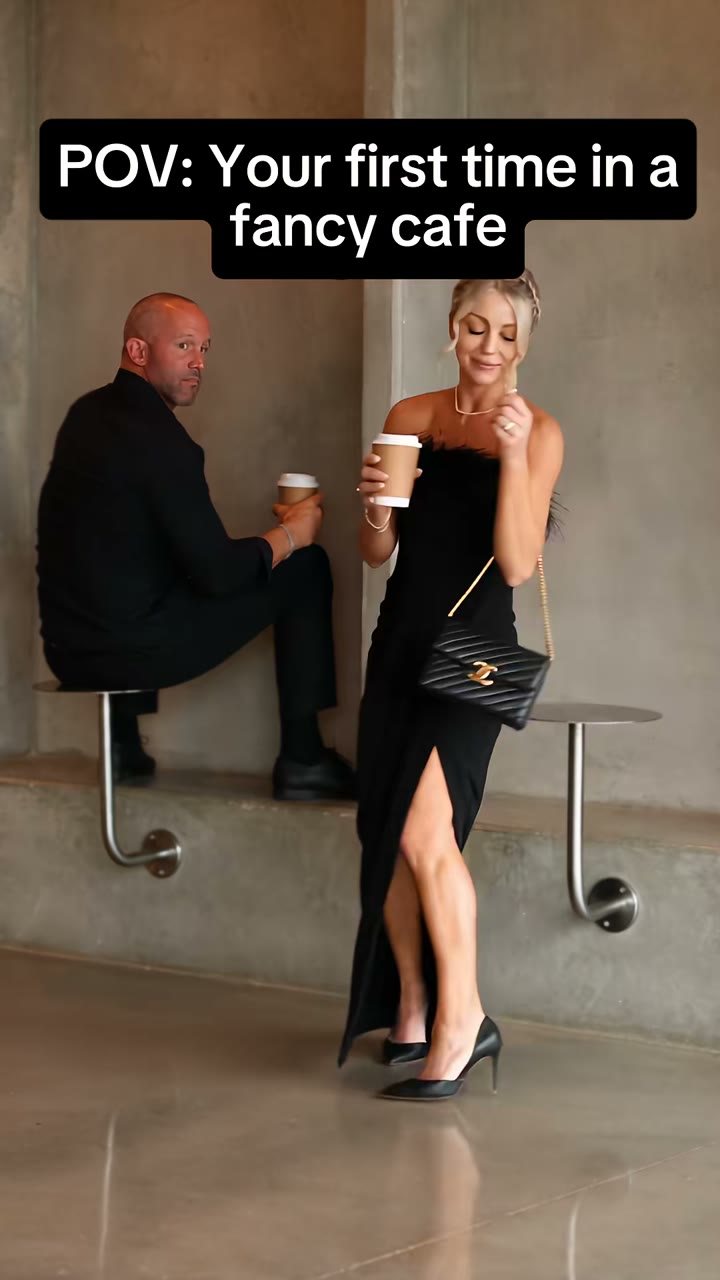 Setup / Bring in the regular
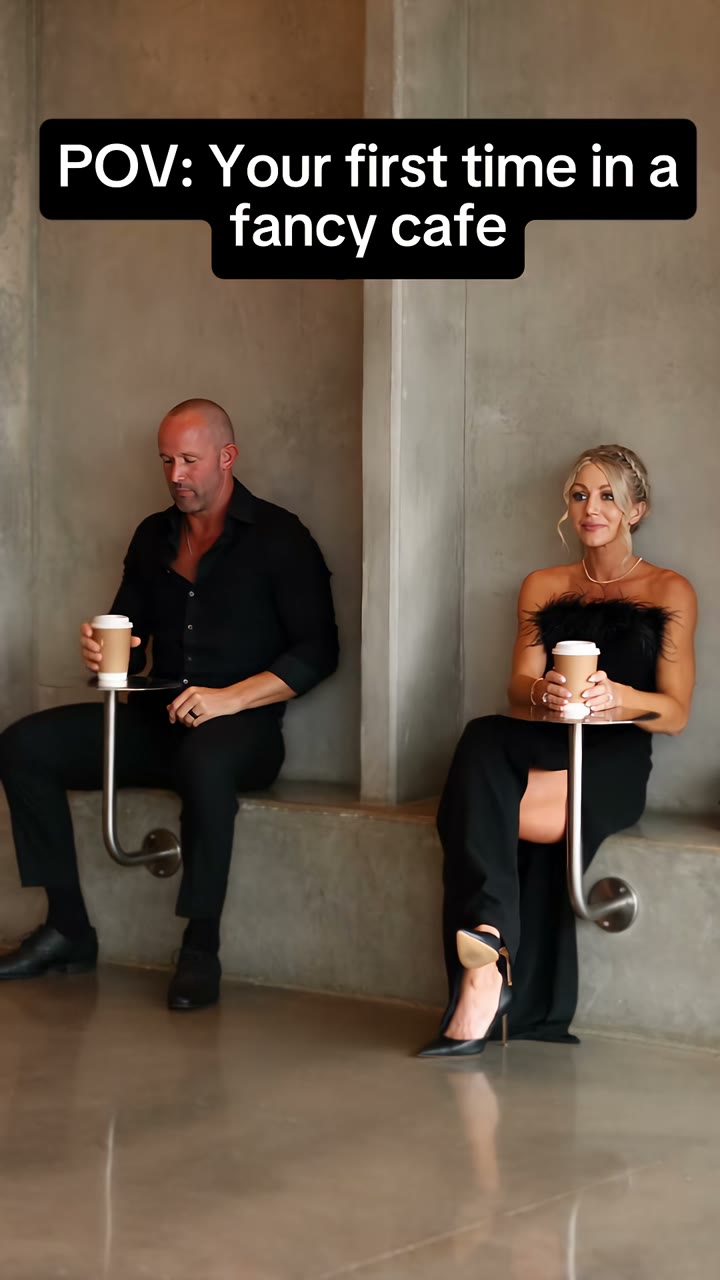 Payoff / A small correction
What you can personalize
Your cast: upload one clear first-timer portrait. Add a consenting friend’s photo for the arriving regular, or leave that role empty to keep the reference guest. Use one person per photo.
The reference scene: the template follows the café, fixed camera, two tables and action sequence in the reference video. It makes a 21-second, 9:16 silent MP4 at 480p (default) or 720p. The scene and timing are fixed; review the live credit quote before confirming.
A reusable planning card
Before generating, fill in these four decisions:
- First-timer: whose clear reference photo will lead the story?
- Regular: the reference guest, or a consenting friend with a second photo?
- Format and length: 21 seconds, portrait 9:16, 480p by default or 720p.
- Price: review the current credit quote before confirming.
This template is a scene guide inside the photo-to-video workflow. You do not need an editing-project download to use it. If you want a finished social post, add your caption and licensed audio after downloading the video.
Preview the look, then make the clip
Use Generate free preview to see a still-image interpretation without signing in or spending customer credits. It helps you review the cast and mood. It is separate from video generation and does not demonstrate the timing of the joke.
For the animated clip, sign in and select Generate video after reviewing the credit quote. Watch the completed result before downloading. A new request uses credits again; review the cast and quote before confirming another video.
Questions about the template
Is this an exact copy of the example video?
Your clip is an AI interpretation using your photo references and selected options. It can vary in framing, faces and motion. The example explains the premise; the original creator remains credited.
Is music included?
No added soundtrack is included in the generated clip. Add audio you have permission to use in your own editor or publishing app.
Where can I follow the complete workflow?
Read How to Make Fancy Cafe AI Video for the upload-to-download steps, or Fancy Cafe Meme for caption and storytelling ideas.
Make the template your own →Make your own Fancy Cafe video
Bring the café mix-up to life with your own photo. Cast yourself as the first-timer, and add a friend as the regular if you like.
Upload a photo